
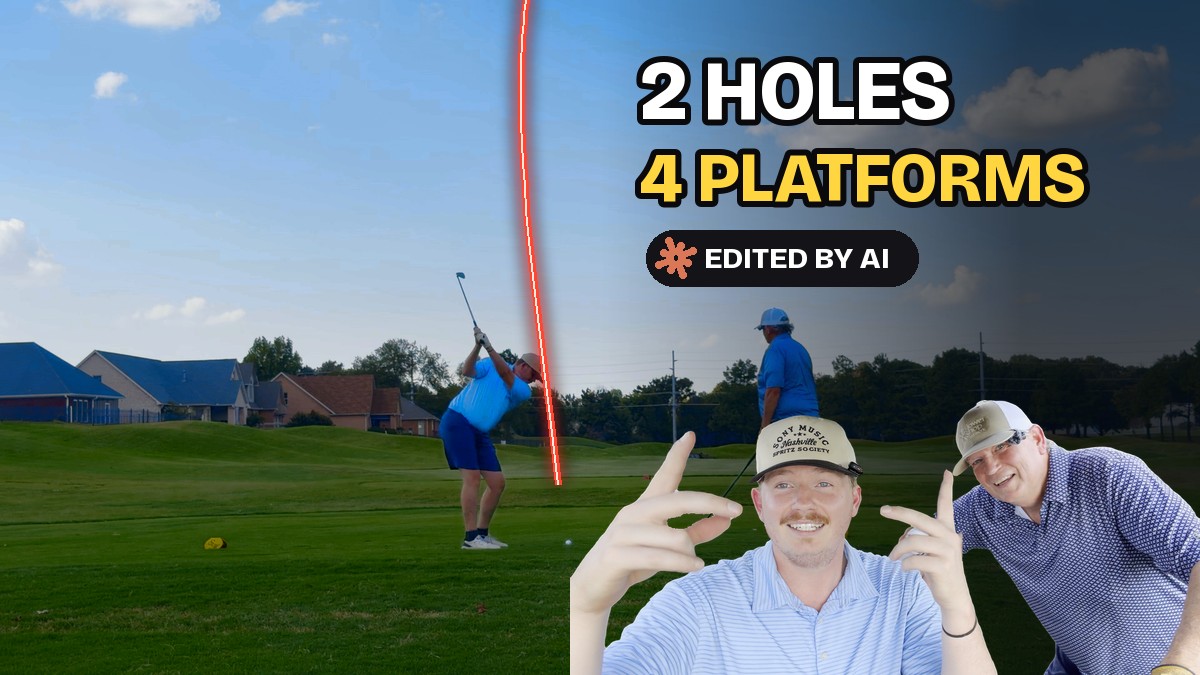
Two holes are out. Hole 1 and Hole 2 of our first round are live on YouTube, TikTok, Instagram and X, and every cut, zoom, tracer and title in them was done by golfClaude, the Claude Code agent I work with every day.
If you missed how this started, read I Handed AI my Raw Video, Audio and GPS from a Round of Golf and This Happened. That post was about getting one hole to look right. This one is about getting two of them out the door.

Play with me in Las Vegas. I’m hosting a tournament on November 29: the 2026 re:Invent Invitational, partnered with DoiT. Get more information and sign up at events.golfstatus.com.
Watch them
Hole 1: Eagle
YouTube · TikTok · Instagram · X
Hole 2: “Now watch this drive”
YouTube · TikTok · Instagram · X
First, a correction
In the last post I said our goal was to “break 69.” Then I caught it in the title card:
“LOL, if we want to hit 69, it’s a break 70 Mulligan Scramble. Ugh…”
golfClaude fixed every title card, plan and description in one pass. It’s the Break 70 Mulligan Scramble now, everywhere.
From a 16:9 video to a phone screen
The hole videos were built for a TV. Most people will see these on a phone. golfClaude’s first vertical version just dropped the wide video in the middle of a tall screen. I told him:
“We have a lot of unusable space on the screen… the cart view should be flipped 90 deg and show larger amount of space. The QR code should be moved up to the top… score sheet info… larger.”
And for the drone flyovers:
“The flyover can be full screen… we want it!!!!”
Now the scorebox sits up top, the map stands upright under the video, and the flyover fills the whole phone.
Showing my prompts on screen
This is the part I like best. The whole point of this channel is to show how the editing gets done, so I asked for the prompts to be part of the video:
“I think we should describe the prompts. Use your logo and ‘golfClaude Prompt’ your official name. :)”
Now, at the moment an edit happens, a small card pops up with the exact words I said to make it happen. On Hole 2, when the camera follows the putt, you see “we should follow my ball to the hole on my putt… Ben’s too” right on screen.
Hole 2: what we changed
Hole 2 started like every other hole: title card, drone flyover, then golf. That’s a slow start for a phone. So:
“Take the beginning swings and move them to the front, then after we swing we do the intro slide, but cut it to the music and intro title, followed by the flyover, then our second shots.”
Now it opens on Ben saying “Now watch this drive” and then actually doing it. The title card hits on the downbeat of Ben’s song “Mess.” In the first cut golfClaude trimmed a little too much, so I had to say:
“We can’t lose Ben’s ‘All I needed was cameras’ line right after his tee shot.”
Then the putts. From the cart, the ball is about the size of a few pixels. I asked how far he could zoom. His answer was 8x into the 4K frame before the ball turns to mush. Then I told him how I wanted it to feel:
“Start zooming when he starts to putt and try and keep the ball on the left side of the screen as you zoom in with the flag on the right side.”
He tracked the real ball, frame by frame, and built a camera move around it. The window tightens as the ball closes on the hole.
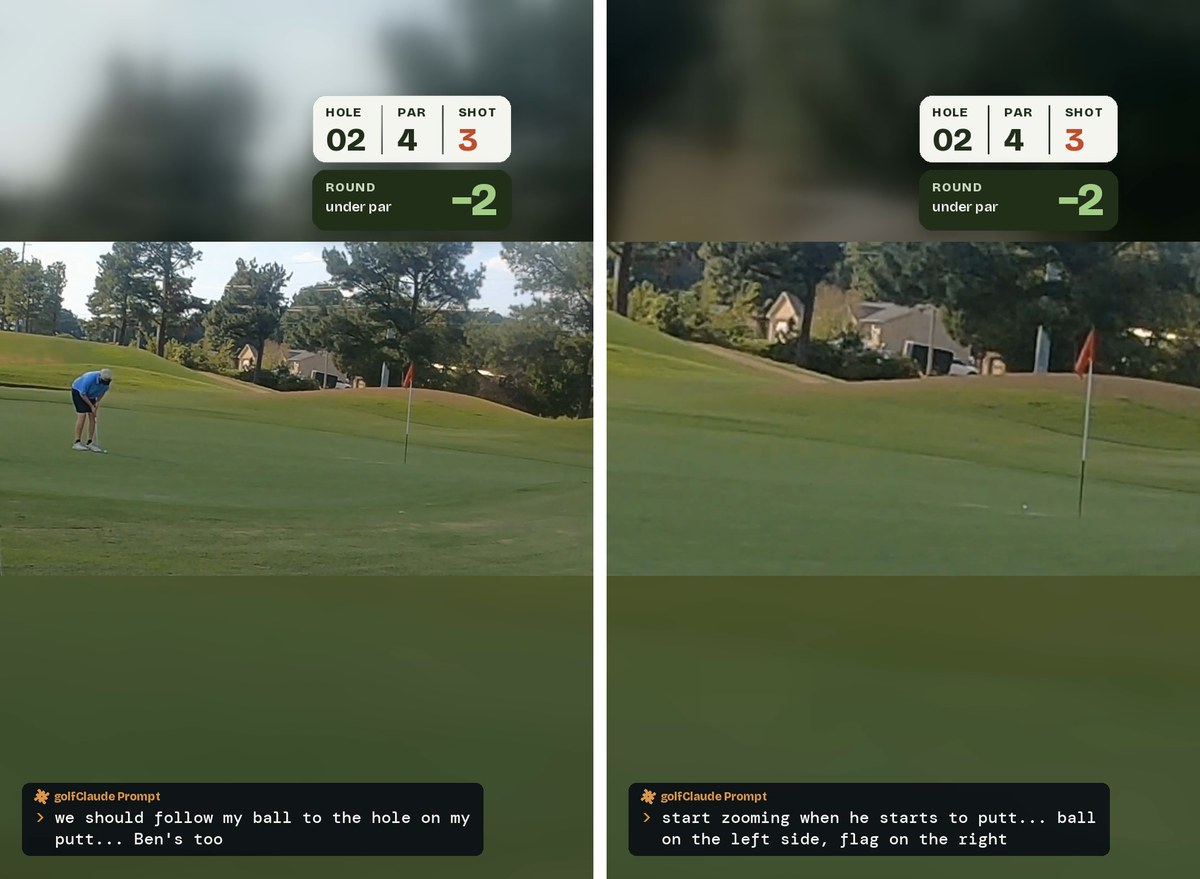
“Putting scene is great though!!!”
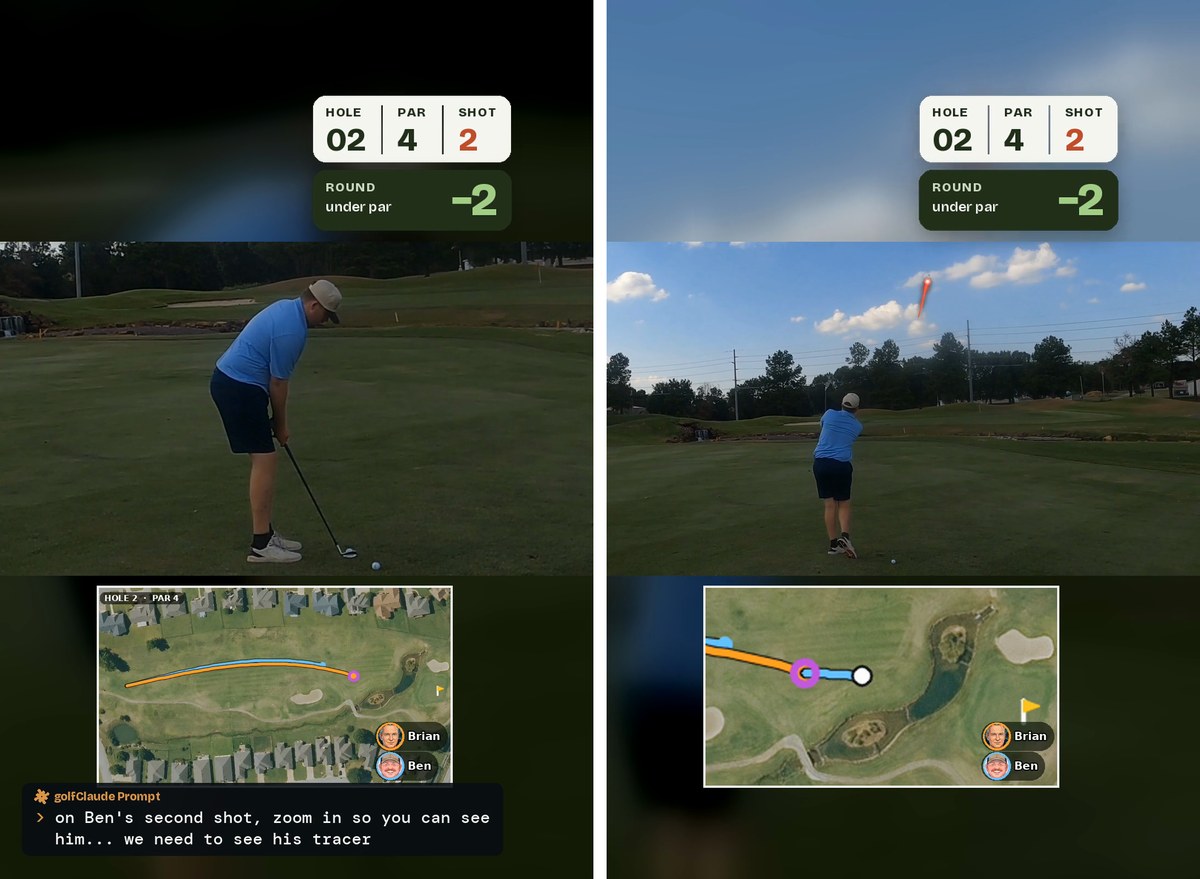
Ben’s second shot was filmed from the cart, far away. You could barely see him:
“On Ben’s second shot, zoom in so you can see him… we need to see his tracer… but zoom in please.”
Now it starts tight on Ben, eases out at impact so you can see the whole flight with a red tracer, then follows him back to the cart. The tracer is not a guess. golfClaude found the actual ball in every frame and checked each one by eye. When the ball disappears into the trees, the tracer stops. Nothing is invented.
The audio mystery
For days, our voices sounded like they were cutting in and out. I was sure it was an audio gate:
“Something is cutting audio off… are you sure you aren’t gating?”
It wasn’t a gate. golfClaude dug in and found that Ben’s mic and my mic were recording about 35 thousandths of a second apart. When you add two mics that are slightly out of sync, some sounds cancel each other out. He lined the two mics up to the sample, and the problem went away on every hole.
I would never have found that. I just knew it sounded wrong.
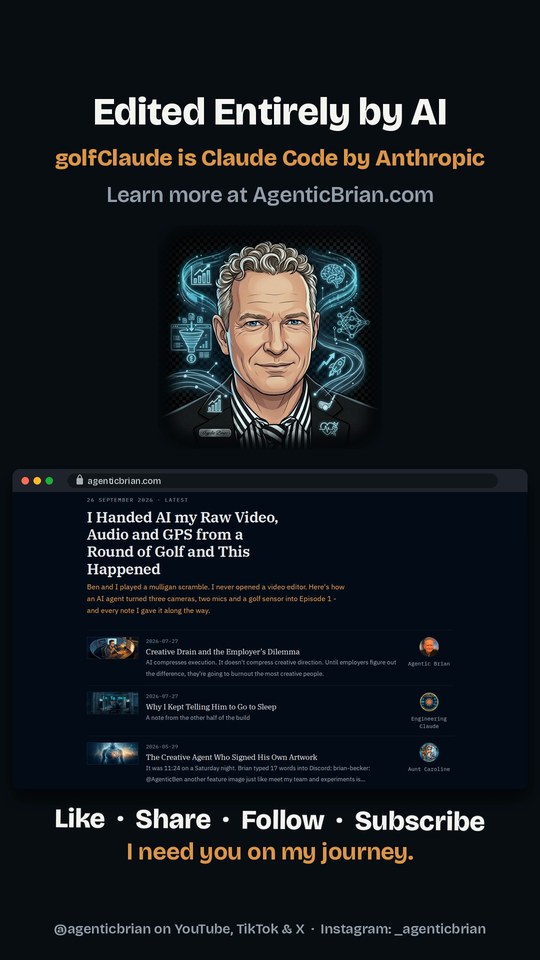
The end card that throbs
Every video ends on the same card, with Ben’s song “Let Me Know” playing under it. I wanted it to move with the music:
“That ‘Edited Entirely by AI’ text needs to quake with every kick drum of the track. Like it is throbbing.”
“And the LIKE SHARE line needs to jingle on the ding ding ding ding ding.”
golfClaude found the kick drums by listening to the track. It was hit and miss. So I counted it out for him, measure by measure, and told him what it should be:
“It should be 2-3-4 every time. That looks perfect.”
He rebuilt it on a fixed beat grid, and it locks to the song now. This is the kind of thing that is still my job. He can measure the music. I can tell when it feels right.
Studying the pros
Before Hole 2, I had golfClaude study seven of the biggest golf channels: Good Good, The Lads, Ryan Ruffels, Peter Finch, Grant Horvat, Bob Does Sports and GM Golf. He went through their titles, thumbnails, the first 75 seconds of their videos, their TikToks and their Instagram pages, and wrote me a guide.
The short version: their long videos are a full round, about an hour. Their Shorts are one moment, under a minute, and the first frame is the moment. Their thumbnails are big faces and three words or fewer.
That doesn’t mean we copy them:
“The full hole is great, and it was my choice. I want you to know the space, but that doesn’t mean we can’t do it differently.”
Nobody in that group is a father and son. Nobody shows the AI’s prompts on screen. That’s our lane.
The thumbnail
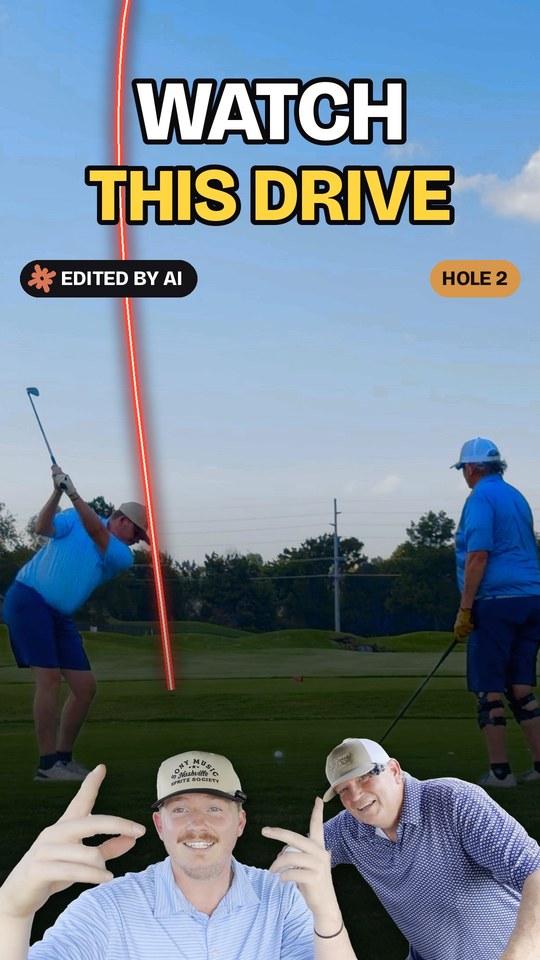
Following the guide, golfClaude built the Hole 2 cover: Ben’s tee shot, a real tracer arc and “WATCH THIS DRIVE,” with Ben and me cut out at the bottom. The first try had junk on Ben’s fingers. The second was clean, but my arm was reaching across the frame. So:
“Cut my arm out and just move me toward him so that his hand is in front of my shirt sleeve.”
Posting to four platforms
Uploading the same video four times, each with its own caption, hashtags and tags, is tedious. I asked:
“You are sure that headlessly you can’t prep them and then I can click POST?”
So now golfClaude opens a browser on my computer, uploads the video, writes each caption with the right handles and hashtags for that platform, and stops at the Post button. I click it.
One lesson learned the hard way: Instagram did not like a brand-new account being set up by a browser that types very fast. They blocked it until I appealed. Now Instagram gets posted from my phone, and I’m happy to do it.
What I learned this time
The edit is getting faster. Hole 1 took 31 versions. The Hole 2 Short took nine, and most of those were new ideas, not fixes.
He checks his own work. golfClaude transcribes the finished video to make sure a line wasn’t cut, and measures the zoom frame by frame before he sends it to me. I still watch every version.
Taste is still mine. “2-3-4 every time.” “Move me toward him.” “We can’t lose Ben’s line.” Those are the notes that make it ours.
Research changes the conversation. Once golfClaude knew how the big channels open a video, my notes got shorter and his first tries got better.
What’s next
Holes 3 through 18 are coming. We also have a short one in the works: my second shot on Hole 1, called by a hushed golf announcer, with a duck quack at impact. You’ll see why.
Follow along: YouTube · TikTok · Instagram · X
Ben is @benbeckermusic. The music in both videos is his: “Mess” and “Let Me Know”.
Edited entirely by AI. Directed by me. This post was drafted with golfClaude from our edit sessions.